finding the clothes i mae in art forge with avatar sdk

Hey everyone! I'm building a Unity game using both the Genies Avatar SDK and Genies Art Forge SDK and I'm a little confused on the intended workflow for custom wearables.
Current setup:
* Unity 2022.3.15f1
* Genies Avatar SDK 3.8.6
* Genies Art Forge SDK 1.20.0
* Using the CreatingCustomEditor sample scene and Avatar SDK starter scenes.
Questions:
1. When using Art Forge to generate wearables inside Unity, should those items automatically appear inside the Avatar SDK inventory in the CreatingCustomEditor scene?
2. Do Art Forge generated assets need to be uploaded or published through the web Creator Hub before they become wearable inventory items?
3. Is the inventory shown in the CreatingCustomEditor sample pulling from the logged-in Genies account inventory or only local/default assets?
4. I've successfully generated several assets in Art Forge (shirts and life jackets) and can find the generated prefab files locally under:
Assets/Genies/ArtForge/Models/
However, they never appear in my avatar inventory despite being generated successfully.
5. Is there an additional "submit to inventory" or "publish wearable" step required after generation?
6. Is there a way to see my Genies avatar in the Unity Scene view outside of Play Mode? Currently I only see my avatar in Game View during Play Mode because the avatar appears to spawn at runtime. This makes animation setup and vehicle seating difficult.
I'm trying to determine whether I'm missing an inventory sync step or whether Art Forge assets are intended to remain as local prefabs until published elsewhere.
Thanks!
-
Official comment
Hello Keivaun Caldwell,
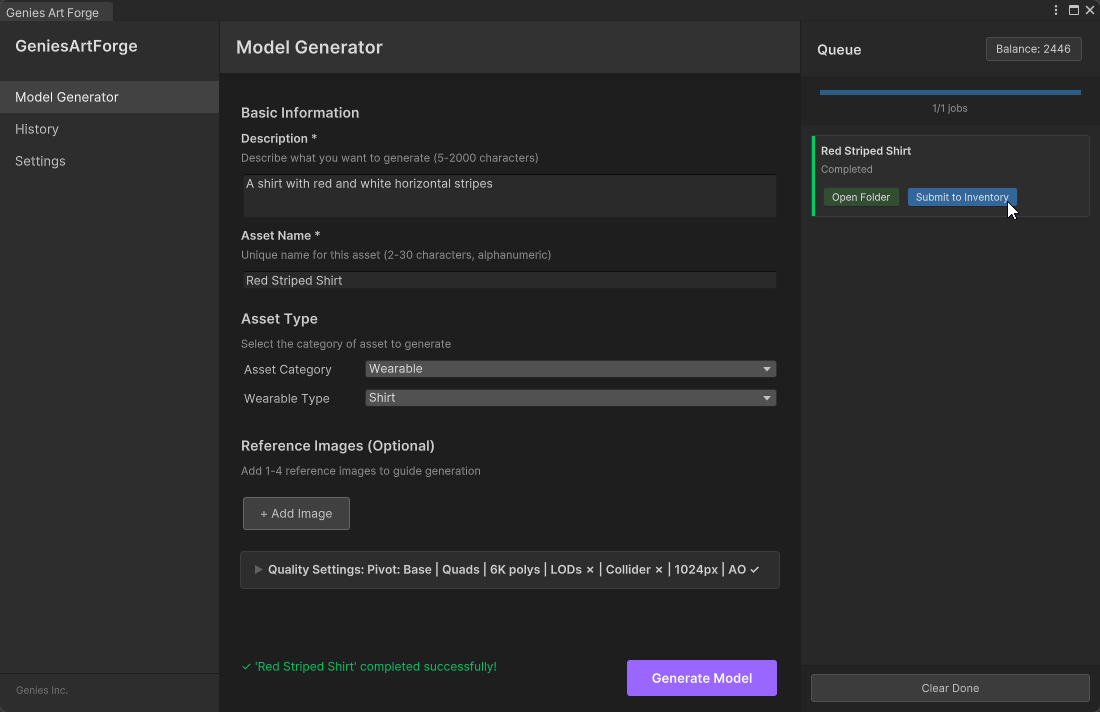
Have you pressed the “Submit to Inventory” button once the asset is generated? [See image]
This will add it to your user inventory and you should then see it in the CreatingCustomEditor scene as long as you are using the same Genies login email.
Also, currently the Genies Avatars are only available at run time. There are some example pre-baked Avatars you can use in this repo: https://github.com/geniesinc/GeniesStarterPack
Hope that helps!
-
still not in the im using the same log in as well
 0
0 -
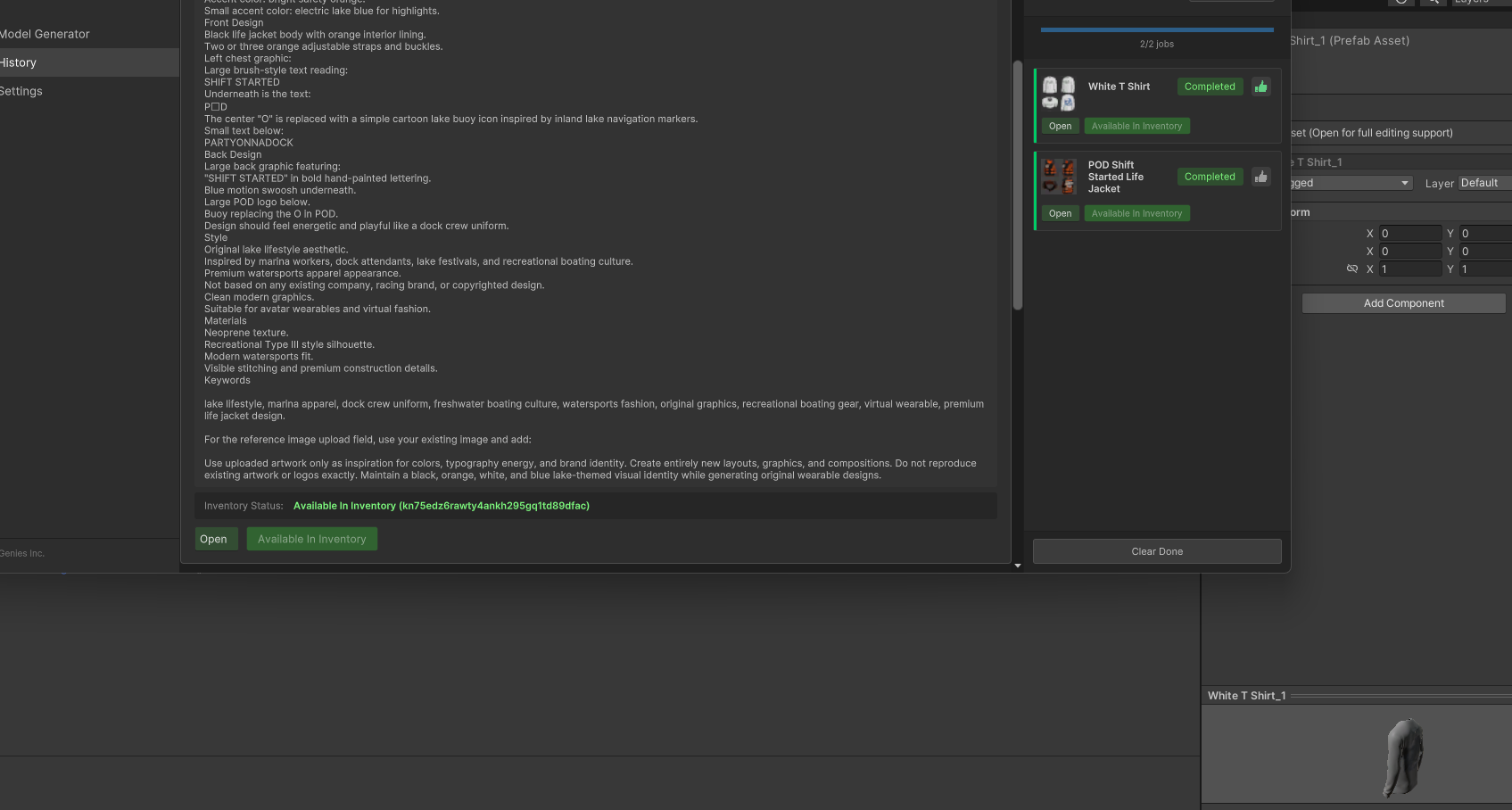
I did press Submit to Inventory. In Art Forge History both assets show Completed and Available In Inventory. I can also see the generated prefab locally under Assets/Genies/ArtForge/Models/[asset]/Prefabs, but the items still do not show in CreatingCustomEditor inventory.
I logged out/in of both Art Forge and Avatar SDK using the same email. I also tried clearing inventory cache, but still nothing appears.
Question: is there a way to verify which user inventory the asset was submitted to, or force refresh the CreatingCustomEditor inventory after Submit to Inventory?
0 -
I modified the CreatingCustomEditor sample so UIGeneratorGroup exposes IncludeUserWearables and confirmed it is set to true. The code now forwards generator.IncludeUserWearables = true before generation.
The custom Art Forge item still does not appear.
So it looks like AssetInfoDataSource.GetUserWearablesDataForCategory(UserWearablesCategory.Shirt) is returning no custom user wearables, even though Art Forge says the item is Available In Inventory and the prefab exists locally under Assets/Genies/ArtForge/Models.
Is there a way to debug which user wearable IDs are returned from GetUserWearablesDataForCategory, or verify which account/workspace the Submit to Inventory button uploaded to?
0 -
I ran a debug script using AvatarSdk.GetUserWearablesByCategoryAsync(UserWearablesCategory.Shirt, true) after calling AvatarSdk.ClearUserWearablesCache().
Result: Shirt/Jacket/Pants/Shorts/Hoodie all returned null, not just count 0.
So the CreatingCustomEditor UI is not receiving any user wearable list from the SDK. Default wearables still load fine.
My Art Forge items show completed and the generated prefabs exist locally, but user wearable API returns null. Is there another auth step or service required for user inventory to return submitted Art Forge assets?
0 -
It does seem like you are submitting the assets to the inventory correctly. There may be a cache issue with the inventory in the Avatar SDK. Can you try deleting the cache using these steps: https://docs.genies.com/docs/sdk-avatar/tools/common-issues#generated-assets-are-not-visible-in-inventory
0 -
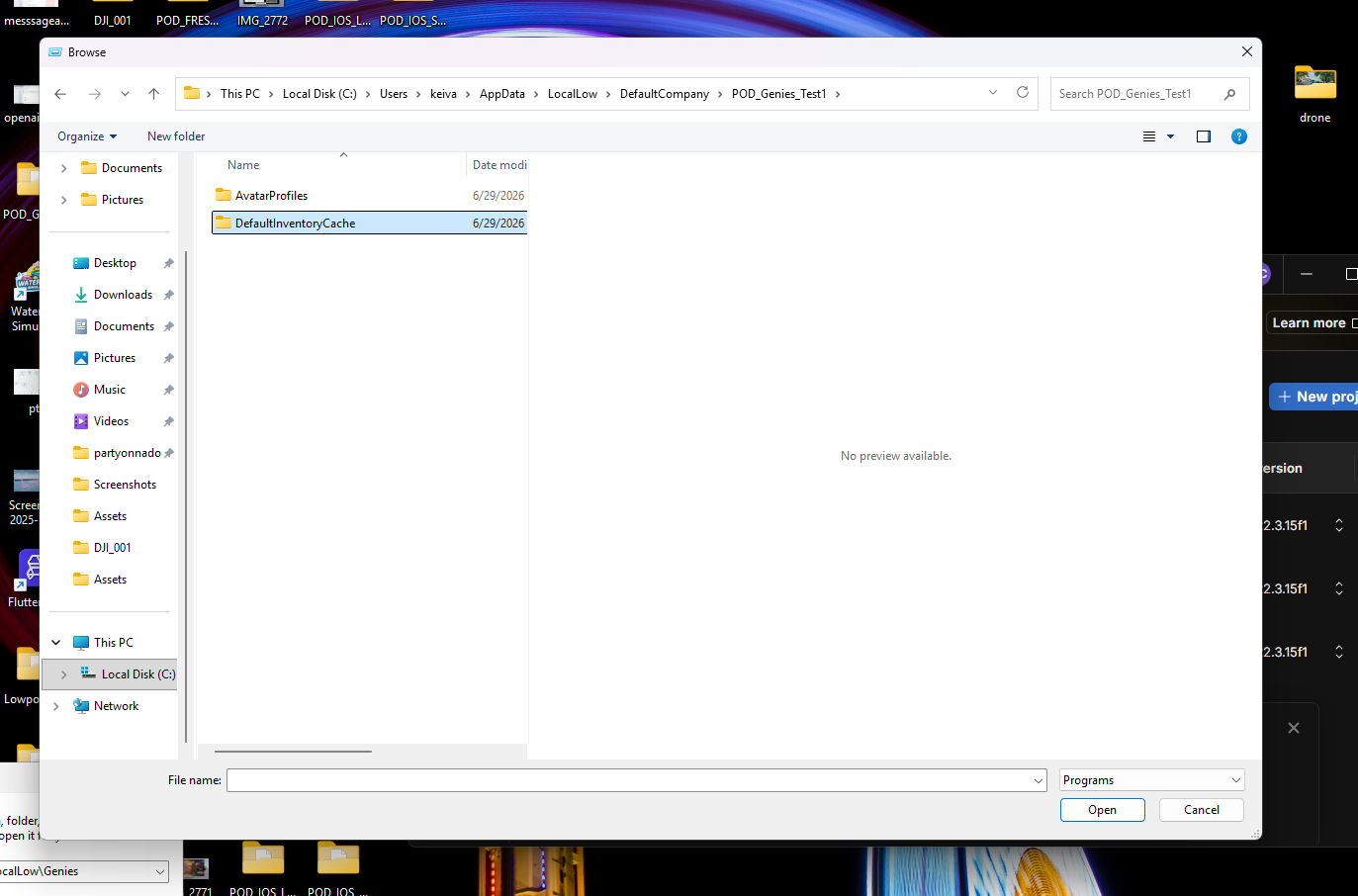
I found and deleted the correct cache folder:
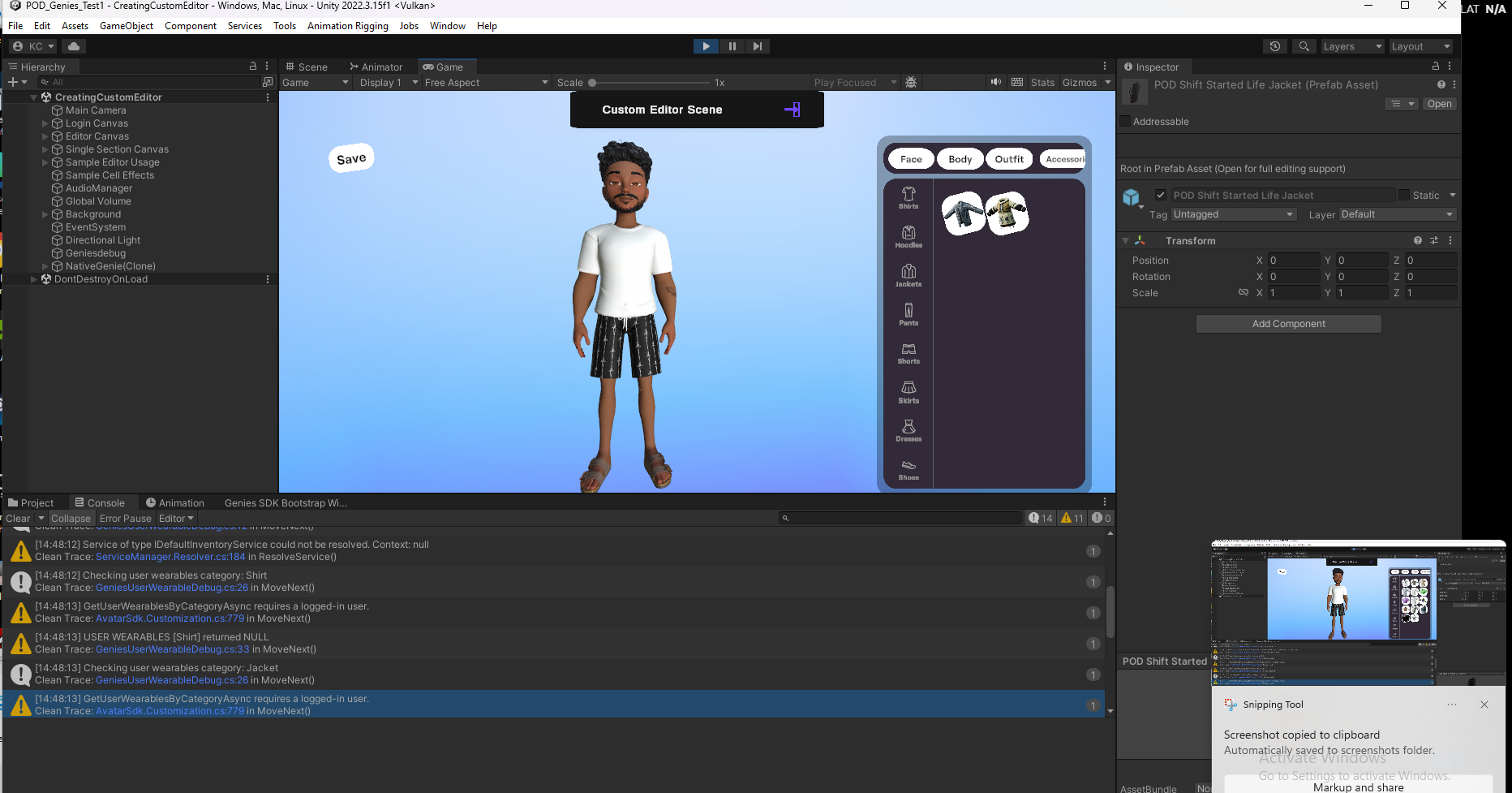
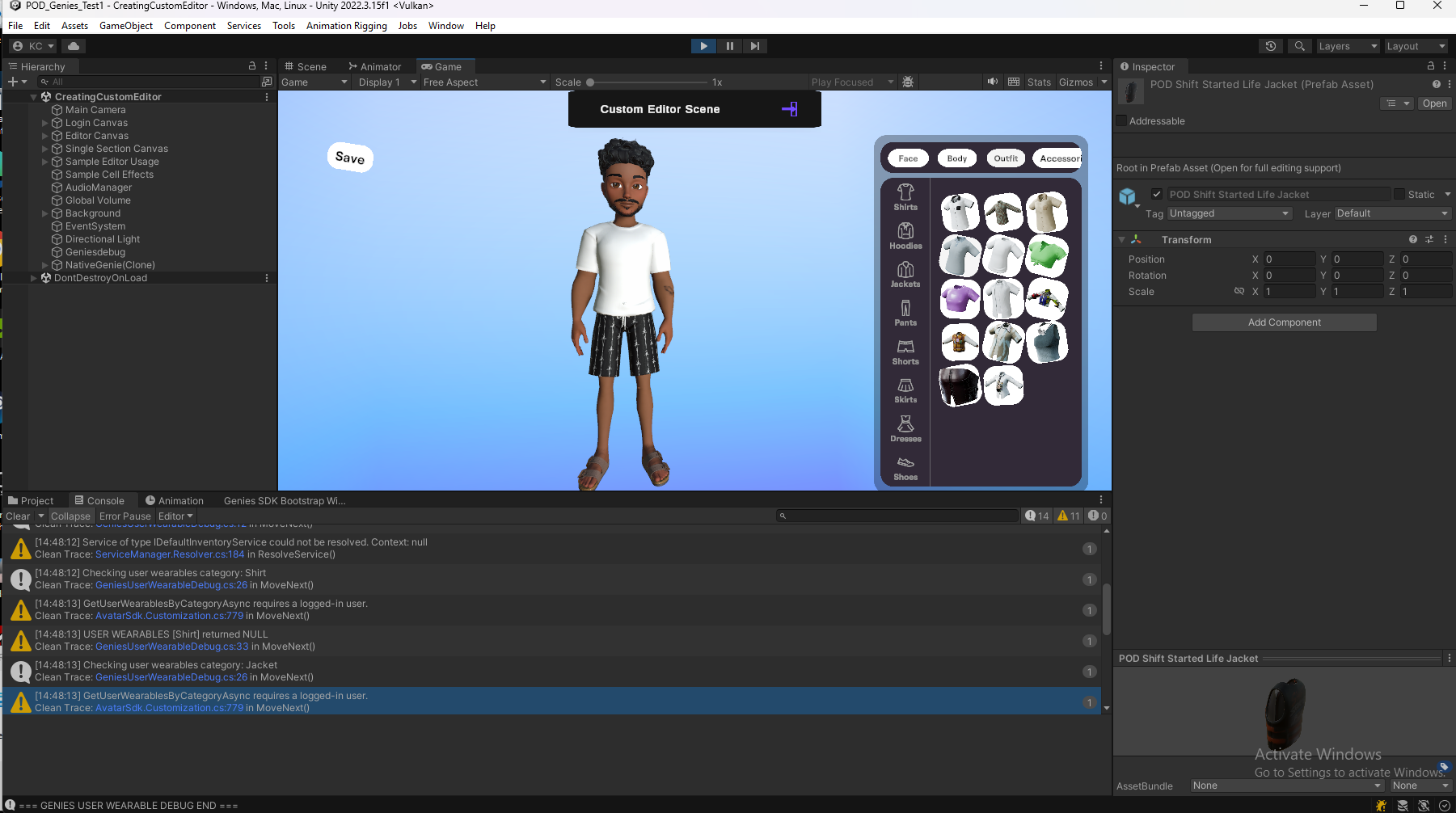
C:\Users\keiva\AppData\LocalLow\DefaultCompany\POD_Genies_Test1\DefaultInventoryCacheAfter restarting Unity and opening CreatingCustomEditor, default inventory loads and my avatar appears, but my debug script still returns:
GetUserWearablesByCategoryAsync requires a logged-in user
USER WEARABLES [Shirt] returned NULL
USER WEARABLES [Jacket] returned NULLSo the avatar/default inventory loads, but the user wearable API does not see the session as logged in. Is there a separate login/auth requirement for GetUserWearablesByCategoryAsync or user inventory access?
 0
0 -

Facing the same issue. Is there any update on this?
0 -
Shamikh Ahmed Keivaun Caldwell The issue should be resolved
0

Please sign in to leave a comment.
Comments
9 comments